
How to Make Your Pet Say Happy Birthday With AI
A personal birthday clip from your pet: tool picks, an 11-second edit plan, and six greeting scripts.

A birthday text is nice. A birthday greeting from the pet who steals the recipient’s socks is harder to forget. Include their name and one detail only they would recognize.
Start with a photo and one short line. If you want the mouth to move with the words, choose a tool that supports pet lip sync. If the original expression is the joke, animate the photo and add a voiceover or captions instead.
Which AI tool should you use?
| Tool | What you start with | When to choose it |
|---|---|---|
| My Talking Pet AI | A pet photo | You want a tool designed around talking pet photos. |
| DomoAI Talking Avatar | A photo and typed text or recorded audio | You want to generate a voice from text or upload your own performance. |
| TalkingPets.ai | A pet photo plus text, audio, or a source video | You want to try a spoken or sung greeting. |
| VidFab Image to Video + an editor | A photo and motion prompt; add audio or captions separately | You want a reaction shot or animated card, not speech synced to the mouth. |
The table compares published features, not hands-on output quality. Check the tool’s credits, export options, and watermark rules before making a batch.
Method 1: Make your pet visibly say a line
- Choose the photo. Start with one well-lit face and a clear view of the nose, mouth, and jaw. Decide whose birthday it is. For a person, name a shared ritual or favorite walk. For your pet’s own birthday, let them make the announcement. Test the recipient’s name on its own and record it yourself if the generated voice mispronounces it.
- Test the line. Type it or upload a recording in a tool such as DomoAI Talking Avatar. Try: “Happy birthday, Maya! I got you a stick. It’s a very good stick.” Read it aloud first. If the last words feel rushed, shorten the line rather than speeding up the voice.
- Check the mouth and the face. Watch once at normal speed for timing, then pause on a speaking frame. Compare the muzzle, markings, and eyes with the original. If the face changes noticeably, test a clearer photo or shorter line. Keep the audio so you can reuse it in the next method.
Method 2: Animate a reaction and add a voiceover
Upload the photo to VidFab Image to Video. Ask for one small reaction rather than a full performance:
Keep the same pet, framing, and background as the reference photo.
The pet gives a gentle head tilt.
Preserve the original face shape, markings, and eye color.
Keep the mouth closed and the camera steady. Do not add text.
Add the recording in your editor, or show the line in separate caption beats. If the face drifts, simplify the motion to a single blink. If the still photo works better, use it as the reaction shot instead.
A simple edit you can copy
| Beat | Visible speech | Voiceover or captions |
|---|---|---|
| Setup | Show “A birthday message for Maya…” | Use the same opening caption. |
| Answer | Cut to a clear close-up for the spoken line. | Hold the original expression or animate one small reaction while the line plays. |
| Ending | End with a closing card: “Happy birthday, Maya! — Love, Peanut.” | End with a closing card: “Happy birthday, Maya! — Love, Peanut.” |
| Time | What to show |
|---|---|
| 0–2 seconds | Show the pet and introduce the recipient. |
| 2–8 seconds | Play the greeting over the talking or reaction shot. |
| 8–11 seconds | Show the closing card with the name and sign-off. |
Extend the middle shot if the name or punchline feels rushed.
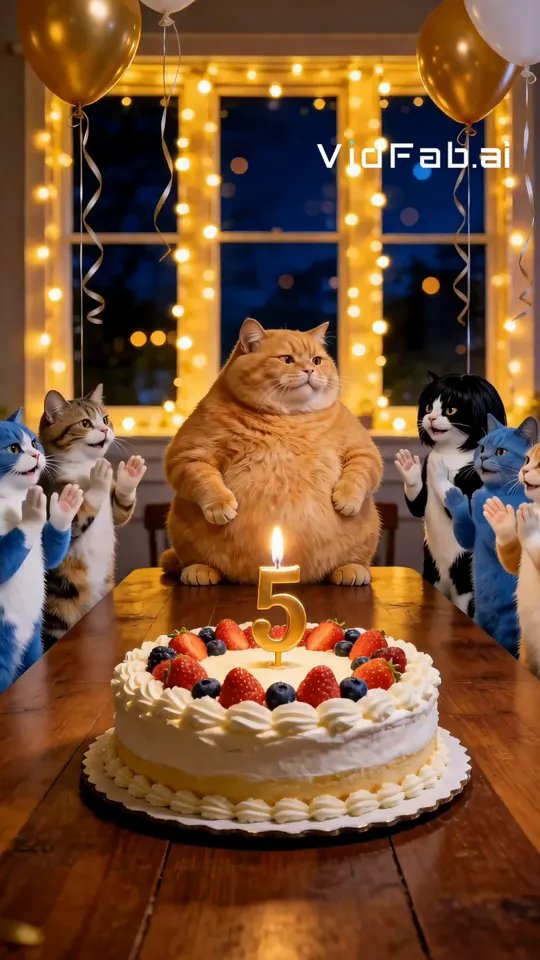
Want a ready-made party scene? Look for Birthday Wish in VidFab’s pet video template library. Add the recipient’s name as a voiceover or caption in your editor.
Scripts to make your own
| Setup | Line |
|---|---|
| Sweet dog | “Happy birthday, Sam. Thanks for making every walk my favorite part of the day.” |
| Funny dog | “Happy birthday, Jamie! I got you my favorite toy. This offer expires when you reach for it.” |
| Deadpan cat | “Happy birthday, Olivia. You may sit in the good chair today. Briefly.” |
| For a child | “Happy birthday, Riley! I hope you get cake, games, and time to scratch behind my ears.” |
| Two pets | “We got you a present! / We got you the box. There’s a difference.” |
| Pet’s own birthday | “I’m another year older. I’m still not old enough to know better.” |
Replace one generic detail with something recognizable: a favorite toy, the chair your pet claims, or a nickname the recipient knows. That detail matters more than making the animation elaborate.
Troubleshooting and FAQs
Why does the mouth look stretched or too human?
Use an unobstructed photo and test a shorter line. If the mouth still draws attention away from the words, reuse the audio over a closed-mouth reaction instead.
Why did the face or fur markings change?
Remove the head turn or camera movement. Compare the result against the original photo before adding dialogue. A still photo is also a valid fallback.
Can I use my own voice or footage?
Yes. Add your recording directly over your footage in an editor. For visible speech on an existing clip, check that the tool accepts both animal video and your audio input, then test a short section where the muzzle stays visible.
Can my pet sing Happy Birthday?
Some tools, such as TalkingPets.ai, list singing as an option. If you use the traditional song, keep it to the first line and check the tool's terms before posting publicly. A spoken greeting with the name is usually more personal anyway.
How do I send it to someone?
Export a vertical MP4 and send it directly in a messaging app so it plays inline. For a group chat or party screen, also keep a horizontal version with the closing card readable.
Can two pets appear in one video?
Yes. Start with one close-up per pet and one line each. Cut between the clips rather than trying to animate both mouths in the same shot.
Can I make it work without sound?
Yes. Show the setup and punchline as separate captions. Give the viewer time to read each before cutting away.
Make your first clip
Pick the photo you want people to recognize first. Animate it with VidFab Image to Video if you want a reaction shot, or choose a pet lip-sync tool from the table if viewers need to see the words spoken.
For more ideas, see How to Make Your Dog Talk With AI and How to Make Your Cat Talk With AI.

