
AI Video Ad Maker: Create Product Ads Without Filming
Discover how AI video ad makers let you create professional product commercials in minutes without filming, actors, or expensive equipment. Learn step-by-step workflows, platform comparisons, and optimization tips for high-converting video ads in 2025.

Introduction
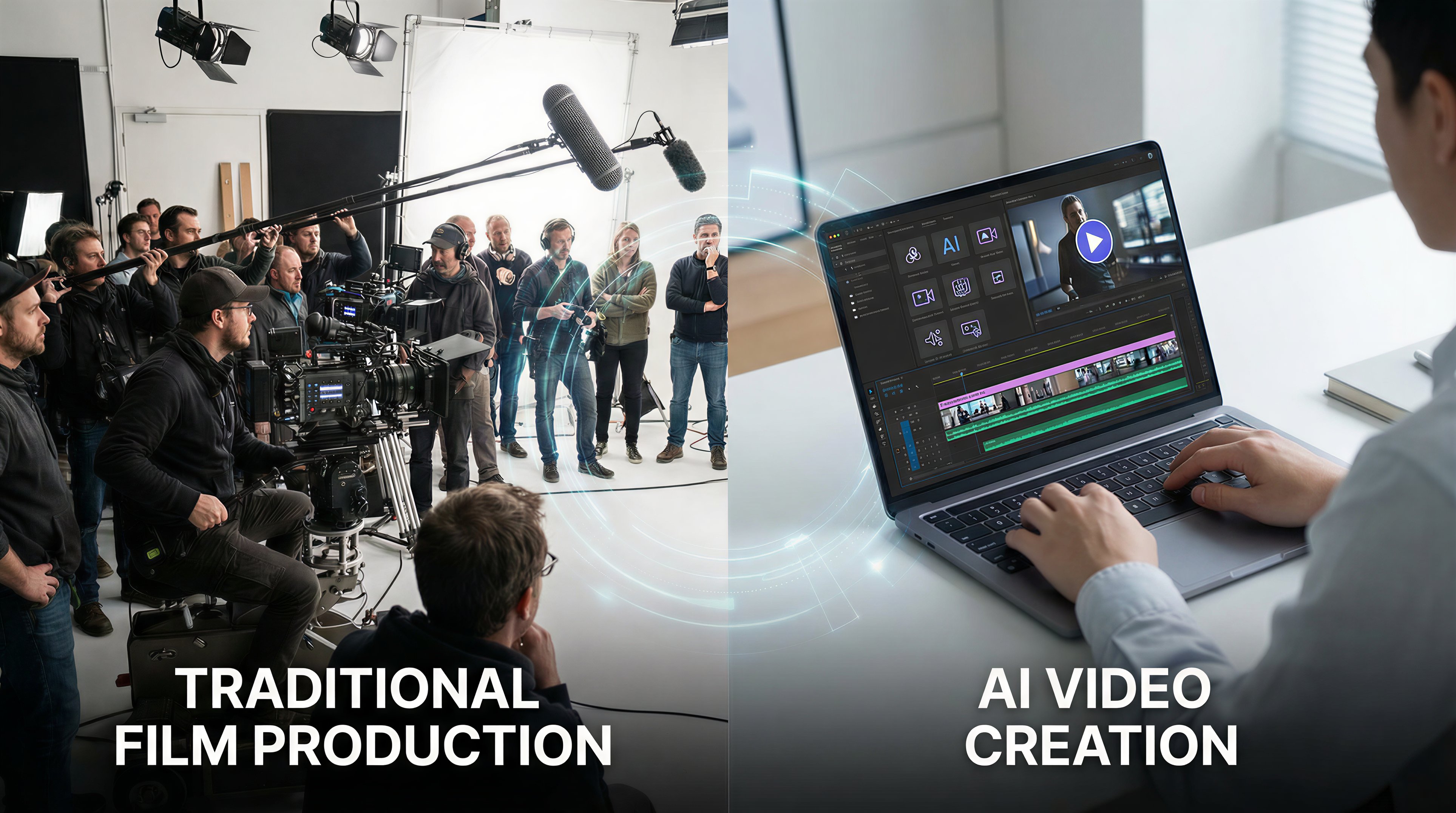
Creating compelling product video ads traditionally requires expensive equipment, professional crews, and days of production time. A single 30-second commercial can cost anywhere from $2,000 to $50,000 when you factor in filming, editing, and talent fees. For small businesses and solo marketers, this price tag puts professional video advertising completely out of reach.
But what if you could create scroll-stopping product ads without ever picking up a camera? AI video ad makers are revolutionizing how businesses create marketing content. These tools use artificial intelligence to generate professional-quality commercials from simple text descriptions, product images, or existing footage—all in minutes instead of days.
In this guide, you'll discover how to leverage AI video generators to create engaging product commercials that drive conversions, without the traditional filming hassles or Hollywood budgets.
Why Traditional Video Production Fails Small Businesses
The barriers to traditional video advertising are higher than most marketers realize. Beyond the obvious costs, there are hidden challenges that make conventional production impractical for agile marketing teams.
Time constraints kill momentum. Traditional video production requires weeks of planning, scheduling, filming, and post-production. By the time your ad is ready, market trends may have shifted, seasonal opportunities passed, or competitors already captured attention. In today's fast-paced digital landscape, speed-to-market often matters more than perfection.
Iteration is prohibitively expensive. Want to test three different hooks or calls-to-action? That means three separate shoots or extensive re-editing. A/B testing—the foundation of modern digital marketing—becomes a luxury rather than standard practice. Most businesses end up committing to a single creative direction without validation, essentially gambling their entire ad budget on one untested concept.
Scaling content is nearly impossible. Need versions for different platforms (Instagram Stories, YouTube pre-roll, TikTok)? Localized versions for different markets? Seasonal variations? Each requires additional production resources. The result: most businesses create one video and force it across all channels, sacrificing performance for practicality.
How AI Video Ad Makers Work
AI video ad generators leverage multiple artificial intelligence technologies to automate the creative process. Understanding how these tools work helps you use them more effectively and set realistic expectations.
Text-to-video generation forms the core of most AI ad makers. You provide a script or product description, and the AI generates relevant visuals, animations, and transitions. Advanced systems like VidFab AI use large language models to understand context and creative intent, then match your message with appropriate visual elements from vast media libraries or generate custom animations.
Automated editing intelligence handles the technical complexity. The AI determines optimal shot duration, applies professional transitions, syncs visuals to voiceover or music, and maintains pacing that holds viewer attention. What would take a human editor hours happens in seconds, with consistent quality across every video.
Dynamic asset integration allows these tools to work with your existing materials. Upload product photos, logos, or brand footage, and the AI seamlessly incorporates them into generated content. Some platforms can even extract products from photos, remove backgrounds, and animate static images—turning a simple product shot into dynamic showcase footage.
Voice synthesis and music matching complete the production. AI voiceover technology has reached near-human quality, offering dozens of voices, accents, and tones. Automated music selection analyzes your video's mood and pacing to suggest royalty-free tracks that enhance rather than distract.
🎁 Try Text-to-Video for Free
Create your first AI video from text in minutes – no credit card required!
Start Creating Free →Step-by-Step: Creating Product Ads with AI
Creating your first AI-generated product ad is simpler than you might expect. Here's a practical workflow that works across most AI video ad makers, with specific tips for maximizing results.
Step 1: Define your ad objective and hook. Before touching any tool, clarify what action you want viewers to take and what will stop them from scrolling. Write a one-sentence hook that addresses a pain point or desire. Example: "Stop wasting money on ads that don't convert" or "Get salon-quality results at home in 5 minutes."
Step 2: Prepare your product assets. Gather high-quality product images (minimum 1080px width), your logo in PNG format with transparent background, and any existing footage you want to incorporate. If you're selling a physical product, photograph it against a plain background—AI tools can remove backgrounds and animate products more effectively with clean source images.
Step 3: Write your script or description. Keep it concise—15-30 seconds for social media ads, up to 60 seconds for YouTube pre-roll. Structure: Hook (3 seconds) → Problem (5 seconds) → Solution/Product (10 seconds) → Social proof or benefit (7 seconds) → Clear CTA (5 seconds). Use conversational language and focus on benefits over features.
Step 4: Generate and customize. Input your script into your AI video ad maker. Select visual style (modern, energetic, elegant, etc.), choose voiceover style, and upload your product assets. Most tools offer templates for common ad formats—use these as starting points. Generate your first version, then iterate on specific elements rather than starting over.
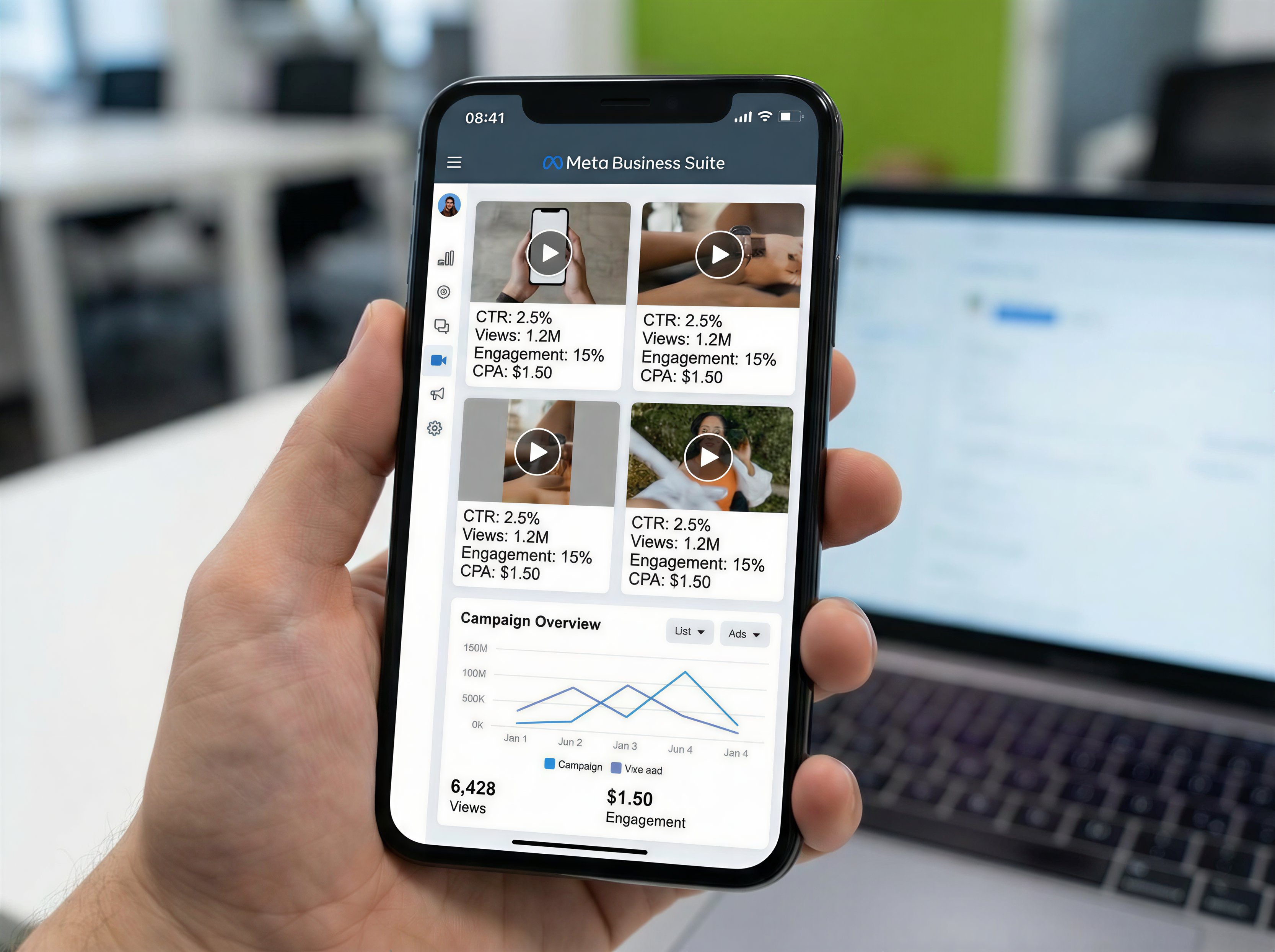
Step 5: Optimize for platform and test. Export versions optimized for each platform (square for Instagram feed, vertical for Stories/Reels, horizontal for YouTube). Add captions—80% of social video is watched without sound. Before spending ad budget, test your video organically or with a small paid test to validate messaging and creative approach.
Best AI Video Ad Makers for 2026
The AI video generation landscape has exploded with options. Here's an honest assessment of leading platforms, focusing on what matters for product advertising specifically.
VidFab AI excels at product-focused commercials with its specialized e-commerce templates and product animation capabilities. The platform understands commercial intent, automatically suggesting proven ad structures based on your industry. Standout features include automatic product extraction from photos, dynamic text overlay optimization, and built-in A/B testing variants. Pricing starts at $29/month for unlimited videos, making it accessible for small businesses testing video advertising for the first time.
Synthesia leads in AI avatar technology, ideal if your brand benefits from a human presenter without hiring talent. Create spokesperson-style ads where an AI avatar delivers your script naturally. Best for: service businesses, educational products, or B2B offerings where authority and explanation matter more than flashy visuals. The tradeoff: less flexibility in visual creativity compared to fully generative tools.
Runway Gen-2 offers cutting-edge generative capabilities for brands wanting unique, never-before-seen visuals. It can create entirely new scenes from text descriptions—imagine showing your product in fantastical environments or impossible scenarios. The learning curve is steeper, and generation can be slower, but creative possibilities are unmatched for brands prioritizing visual distinctiveness.
Pictory AI specializes in repurposing existing content into video ads. Have blog posts, customer testimonials, or product descriptions? Pictory automatically converts text into video format with relevant stock footage and animations. Best for: content-rich businesses wanting to maximize existing assets rather than create from scratch.
⚡ Unlock VidFab AI Pro
Get unlimited videos, advanced features, and priority support.
Upgrade to Pro →Optimization Tips for High-Converting Video Ads
Hook in the first 3 seconds or lose 65% of viewers. Your opening frame must immediately signal relevance. Use pattern interrupts: surprising visuals, bold text statements, or questions that create curiosity gaps. Avoid generic product shots or slow build-ups—start with your strongest moment.
Optimize for silent viewing. Add burned-in captions to every video. Use large, high-contrast text that's readable on mobile screens. Highlight key phrases in different colors. Your video should communicate its core message even with sound off, since most social platforms autoplay without audio.
Keep it brutally short. Attention spans are measured in seconds, not minutes. For cold audience ads, 15-30 seconds is ideal. Only extend to 60 seconds if you're retargeting warm audiences or the product requires explanation. Every second should earn its place—ruthlessly cut anything that doesn't advance toward your conversion goal.
Test multiple creative angles, not just copy. Don't just A/B test different headlines on the same visual approach. Test fundamentally different hooks: problem-focused vs. aspiration-focused, product demonstration vs. customer testimonial, fast-paced vs. calm and explanatory. AI tools make creating variants cheap—exploit this advantage.
Include clear, specific CTAs. "Learn more" is weak. "Get 20% off your first order" or "Try free for 14 days" tells viewers exactly what happens next and what value they receive. Place your CTA both mid-video (for those who don't watch to the end) and in your final frame.
Match ad creative to landing page experience. Visual consistency between ad and landing page increases conversion rates by up to 30%. If your ad shows your product in a specific color or setting, your landing page hero image should match. Cognitive fluency—the feeling that everything "makes sense"—builds trust and reduces friction.
Common Mistakes to Avoid
Overloading with information. New advertisers try cramming every product feature into one video. This dilutes your message and overwhelms viewers. Focus on one primary benefit or use case per ad. Create multiple ads highlighting different aspects rather than one ad trying to say everything.
Ignoring brand consistency. Just because AI can generate any style doesn't mean it should. Establish brand guidelines for your video ads: color palette, font choices, music style, pacing. Consistency across campaigns builds recognition and trust. Your audience should recognize your ads as yours within the first second.
Using generic stock footage carelessly. While AI video makers provide access to stock libraries, viewers have seen the same clips thousands of times. Prioritize unique generated content or your own product footage. When you must use stock, choose less obvious clips and customize them with overlays, color grading, or speed adjustments.
Neglecting mobile optimization. Over 70% of social video is consumed on mobile devices. Preview every video on a phone screen before publishing. Text too small? Visuals too cluttered? Important elements cut off in vertical format? These issues kill performance but are easily fixed during creation.
Setting and forgetting. Even AI-generated ads need performance monitoring and iteration. Check your metrics after 48 hours. Low hook rate (viewers scrolling past in first 3 seconds)? Test different openings. High view-through but low clicks? Your CTA needs work. Treat each video as a learning opportunity for the next iteration.
Frequently Asked Questions
Can AI video ads really compete with professionally filmed commercials?
For most digital advertising contexts, yes. AI-generated ads consistently perform as well or better than traditional commercials in A/B tests, especially on social media platforms where authentic, fast-paced content outperforms polished production. The key is matching creative approach to platform and audience expectations. While AI may not replace Super Bowl commercials yet, it's more than capable for Facebook ads, Instagram Stories, TikTok, and YouTube pre-roll.
How much does AI video ad creation cost compared to traditional production?
AI video ad makers typically cost $20-100 per month for unlimited video creation, compared to $2,000-50,000 per traditional commercial. Even accounting for learning curve and iteration, you'll save 95%+ on production costs. More importantly, the speed and low marginal cost per video enable testing and personalization that's economically impossible with traditional production.
Do I need video editing experience to use AI video ad makers?
No. Modern AI video ad makers are designed for marketers, not video editors. If you can write a product description and upload images, you can create video ads. Most platforms offer templates and guided workflows that handle technical decisions automatically. You'll focus on messaging and creative strategy rather than technical execution.
What types of products work best with AI-generated video ads?
Physical products with clear visual appeal (fashion, home goods, gadgets) and digital products/services that benefit from explanation (software, courses, apps) both work excellently. Products requiring detailed demonstration or those sold primarily on technical specifications may need more customization. The key is having a clear value proposition that can be communicated visually in under 30 seconds.
Can I use AI-generated videos across all advertising platforms?
Yes. AI video ad makers export in standard formats compatible with Facebook Ads, Instagram, TikTok, YouTube, Google Display Network, and other platforms. Most tools offer preset export options optimized for specific platforms (aspect ratios, file sizes, duration). You own the rights to videos you create and can use them across any channel without additional licensing fees.
🎁 Try Text-to-Video for Free
Create your first AI video from text in minutes – no credit card required!
Start Creating Free →Conclusion
The democratization of video advertising through AI tools represents one of the most significant shifts in digital marketing since the rise of social media. What once required five-figure budgets and specialized expertise now takes minutes and costs less than a single lunch.
AI video ad makers don't just reduce costs—they enable entirely new marketing strategies. You can now test dozens of creative approaches, personalize ads for micro-segments, and respond to trends in real-time. The businesses winning with video advertising in 2026 aren't those with the biggest production budgets, but those who iterate fastest and test most aggressively.
Start simple: create three variations of one product ad this week. Test different hooks, different benefit focuses, different CTAs. Let data guide your creative decisions. The barrier to professional video advertising has fallen—the only question is whether you'll take advantage before your competitors do.
🎁 Try Text-to-Video for Free
Create your first AI video from text in minutes – no credit card required!
Start Creating Free →

